Advertisement 728 × 90
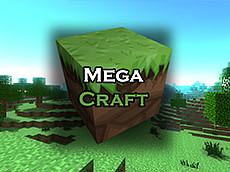
About MegaCraft - Build your perfect world
Control.
Movement - WASD
Jump - Space
Open Inventory - E
Exit to the menu - ESC
Dig up a block - Left mouse button
Place Block - Right Mouse Button
Choosing a block to build - mouse wheel
To replace blocks in quick access, select the block to replace with the mouse wheel, go to the inventory and click on the desired block.
MegaCraft - Build your perfect world
MegaCraft is a cube-style construction simulator with the same system as Minecraft. You can dig cubic blocks and put them in your inventory, after which you can select this block in your inventory and put it in another place, so you can build houses and various structures.
Do you like crafting games? MegaCraft is a brand new 2021 construction game. In MegaCraft, you can do whatever you want! The game can give you complete freedom to build and craft. Suitable for girls and boys. Craft and build, build a house or even a dream city, without limits.
How to Play
Navigate your character using the WASD keys. Leap by pressing the spacebar key. View your inventory with the inventory key. Exit to the menu by pressing ESC. Extract a block by using the primary button. Build a block by using the right mouse button. Choose a block to build by scrolling the selection wheel. Change blocks in quick access by choosing the block with the scroll wheel, then viewing the inventory and clicking the desired block. Create houses and structures by removing blocks and setting them elsewhere.